Watch the demo
The app, in motion
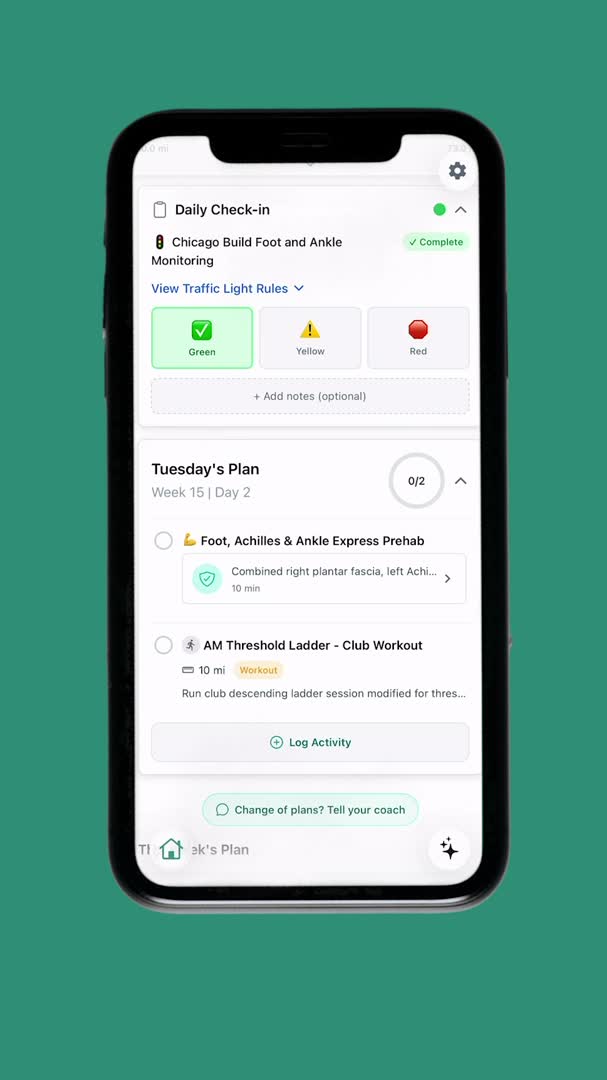
The product chapter of the founder story. Watch the whole thing on Our Story.
Toga is an iOS app that builds you a personalized running plan and keeps adjusting it as you train. Here's what it looks like, screen by screen, from the first question to race day.
The product chapter of the founder story. Watch the whole thing on Our Story.
Every screen below is the shipped app. This is the workflow a new runner goes through.
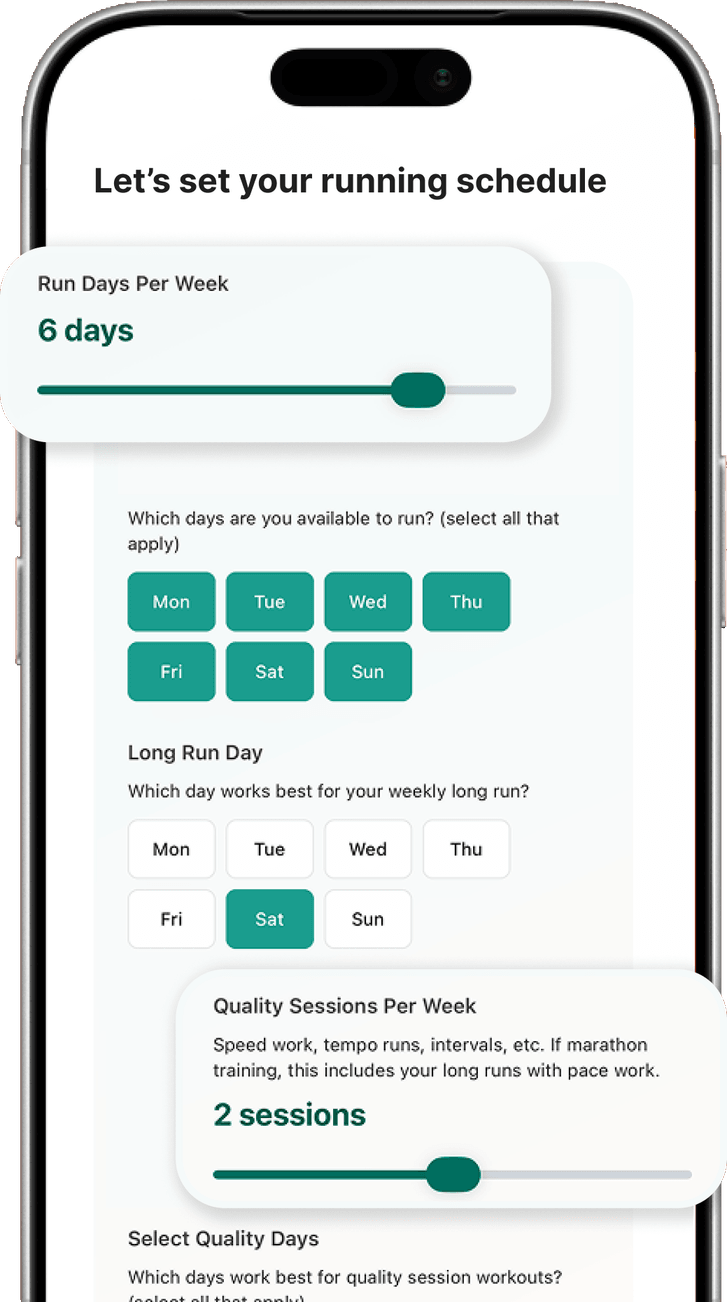
Onboarding asks about your race and goal time, your running background and any injuries, then how your week actually works: how many days you can run, which day fits your long run, and how many hard sessions you want. If you already use a watch, Toga reads your recent history so the plan starts where you are.
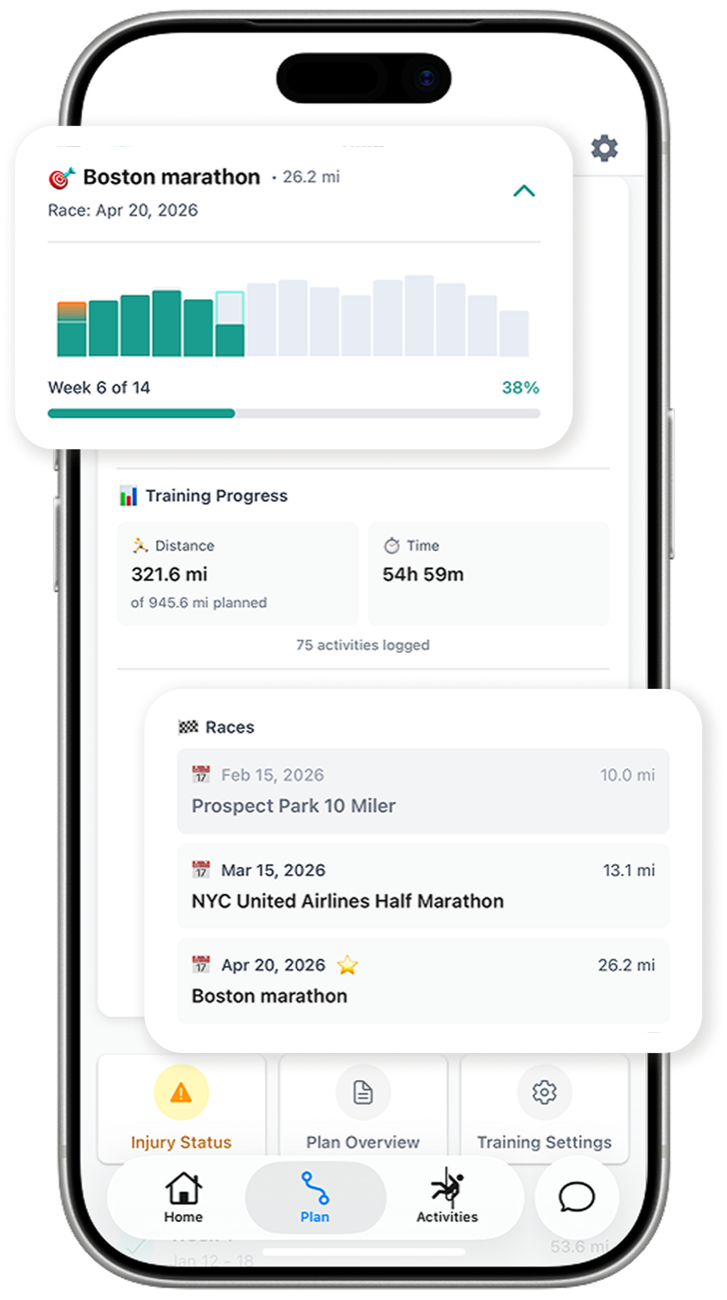
Toga generates a week-by-week build to your race: easy runs, long runs, workouts with your paces, plus strength and prehab routines. The Plan tab shows every week of the build, how far along you are, your mileage and time so far, and the tune-up races on the way to the goal.
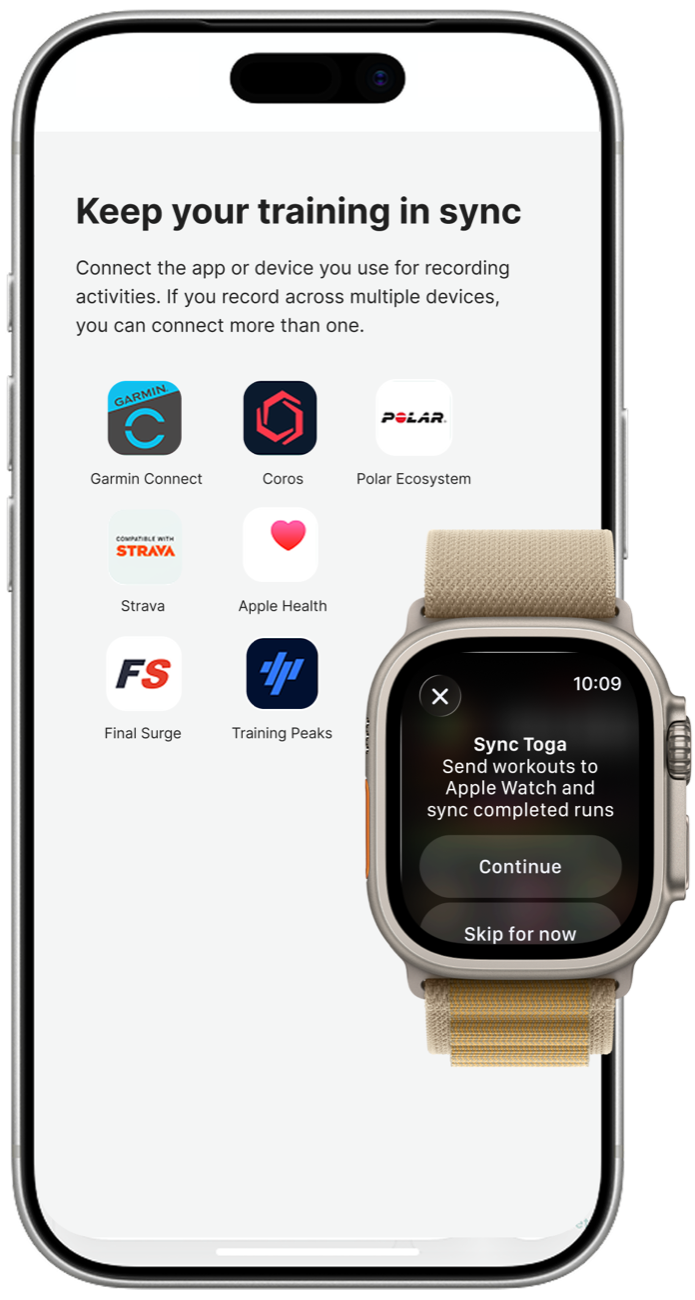
Link Garmin, Apple Watch, Coros, Polar or Strava once and every run syncs to Toga on its own. Structured workouts can be sent back to your watch, so you can follow the paces and intervals from your wrist.
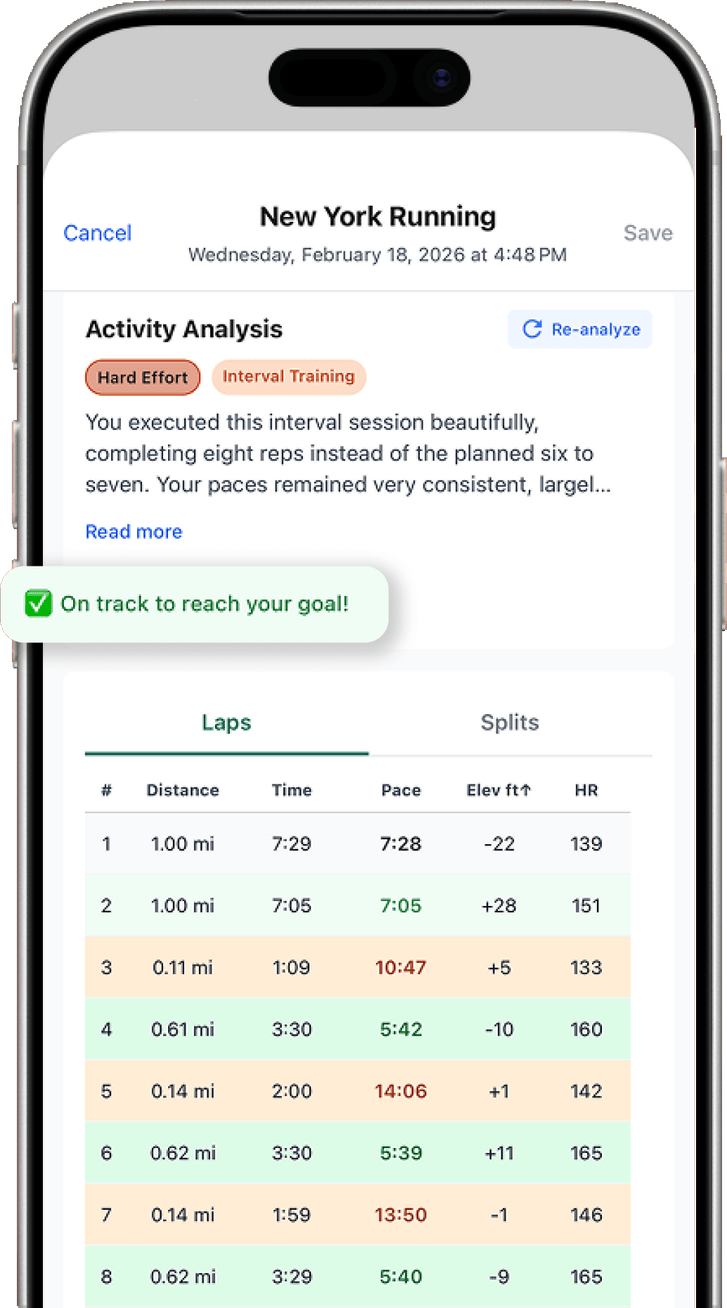
After each run Toga compares what you did with what was planned: effort, workout type, laps and splits, heart rate, and whether you're still on track for your goal. You get written feedback on the session, not just a number.
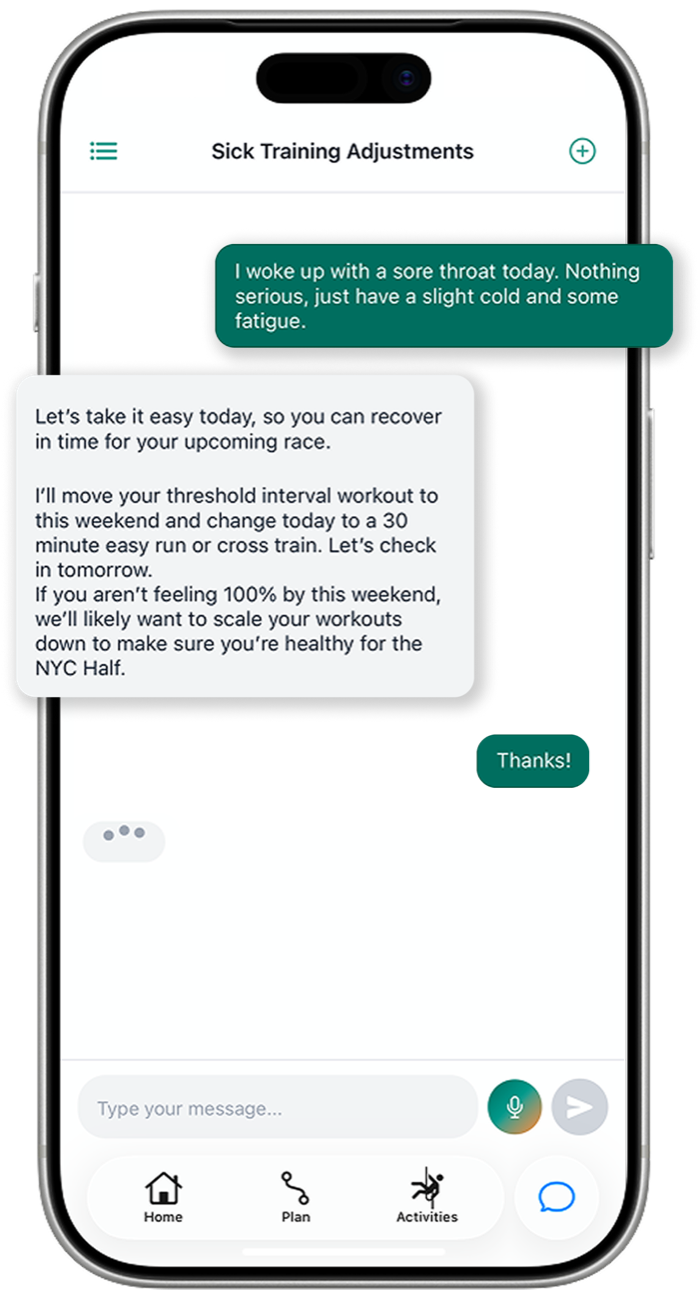
Sick, traveling, feeling great, or not sure what a workout means? Message the coach. It knows your plan, your recent runs and your history, and it can move workouts, scale the week down or up, and answer training questions directly in the app.
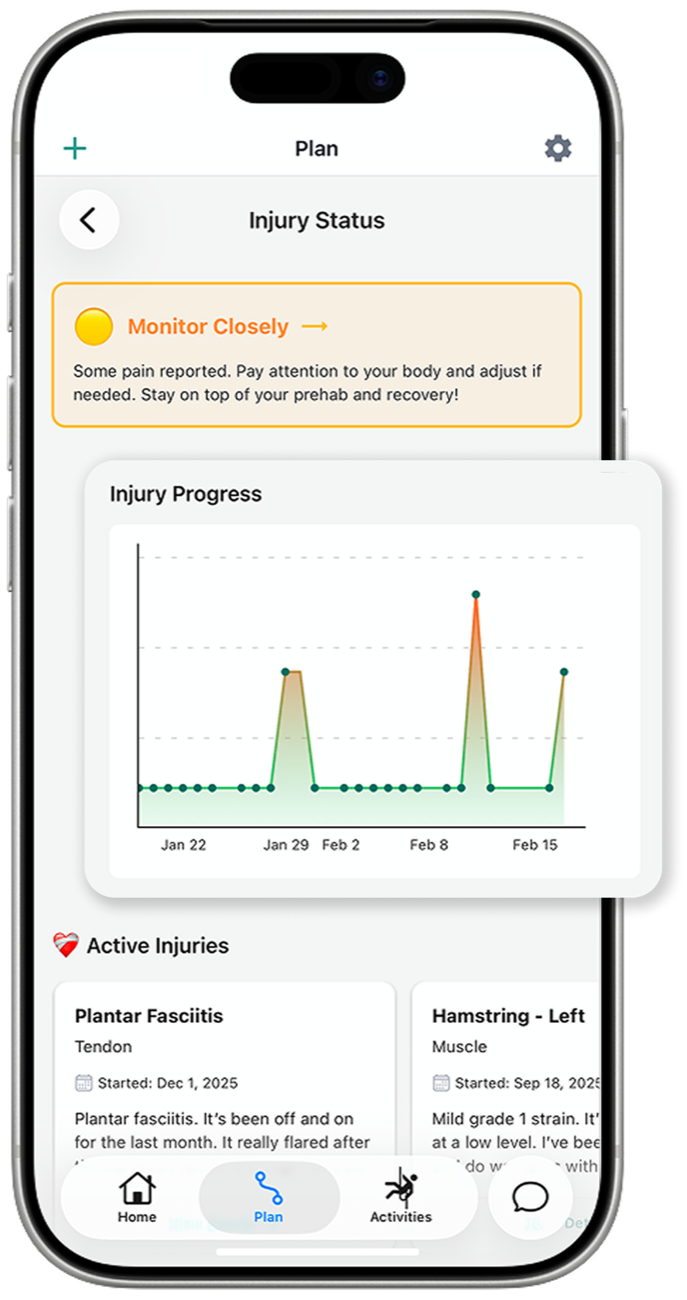
Log aches and niggles as they come up. Toga tracks the pain trend, adjusts training when something is flaring, and prescribes prehab exercises to keep you running. Your plan also re-evaluates itself every week based on what you actually did.
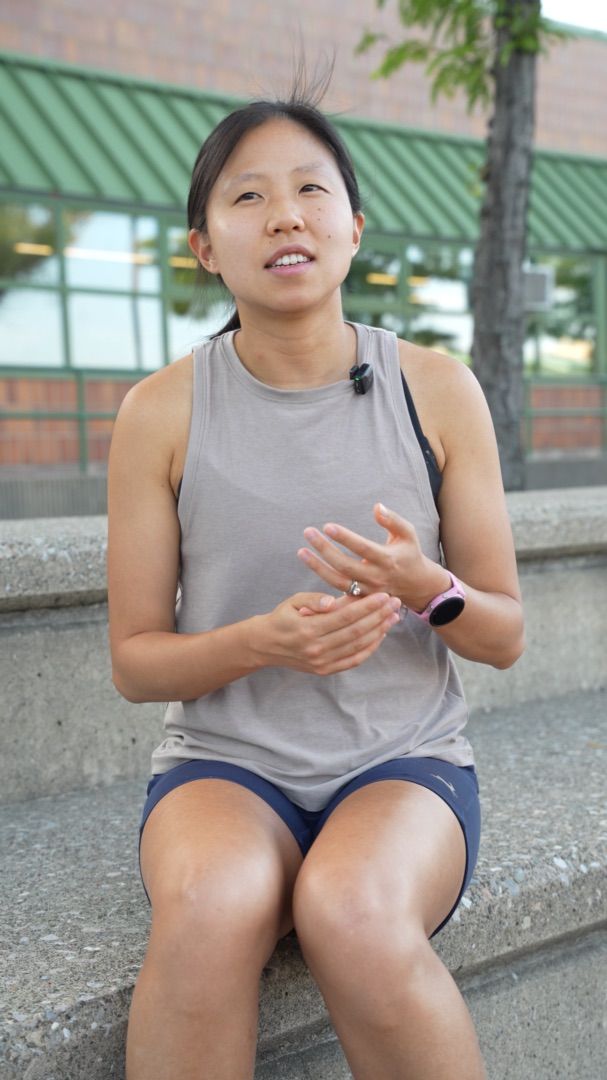
Maryann designs and builds Toga end to end: the training engine, the AI coach, and the iOS app. Before Toga she was an early engineer at Peloton and head of engineering at Evvy, a women's health startup.
She's also the athlete Toga was built for: an NCAA Division III national champion at MIT who spent most of a decade injured, and now a 2:38 marathoner chasing an Olympic Trials qualifier.
Join runners like you who are chasing their dreams with Toga.
14-day free trial. Cancel anytime.
